
Free Voluum Features You Might Not Know You Already Have

I can bet that no matter if you are a beginner or a pro Voluum user you don’t know your tracker fully. There are simply so many features designed to support creating even the craziest campaign funnels that, if unused, they remain forgotten.
You already have these features.
You are paying for them.
It stands to reason that you should know more about what you have with your Voluum subscription, am I right?
What Free Features Are Included in Every Voluum Plan?
All Voluum plans come with features thatwill allow you to elevate your Voluum xpierience above just tracking. The list of features is very long but we will list the most important ones here.
What Is Voluum Automizer and How Can It Automate Your Campaigns?
This is the biggest feature we want you to know about. Automizer, as the name suggests, allows you to integrate with multiple traffic sources and create automatic rules that launch whenever you want.
It is available on all pricing plans, and the only limit to its use is how much costs you track with it.
[sc name=”summer_promo_1″]
Everything up to 1,000$ of tracked costs is free, so go ahead, play with it! If you decide you need a higher ad spend limit, you can always upgrade your Automizer subscription. The procedure is simple:
- Integrate one of the available traffic sources. This enables cost tracking and rules.
- Create a rule, just to check how it works.
- Wait for the results.
Why integrate?
The answer is simple: without it, you are limited in many ways, forced to do things manually. Only with integration you can unleash your full potential, because you will be able to focus on things that matter.
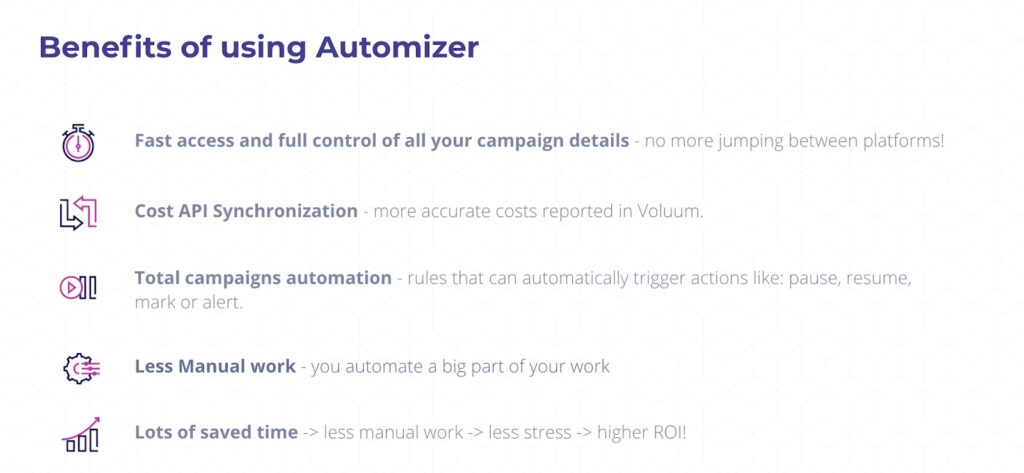
How Do You Set Up Automated Rules in Voluum?
Rules can do so much for you! They work for you when you sleep. They constantly check if the conditions you set were met. They are like that overambitious assistant you once had in your office, the one that never slept and ran on sugar and caffeine.
Don’t know what rule to create? Here are some examples:
- Create a rule that pauses a campaign which ROI dropped below 0. No point in paying for traffic that doesn’t work.
- Assign a marker to the profitable dimension, for example, a certain creative.
- Set an alert if your campaign breaks the 200 conversion cap. Get an alert and celebrate.
You can use Rule library to find templates for the most useful aut-rules.
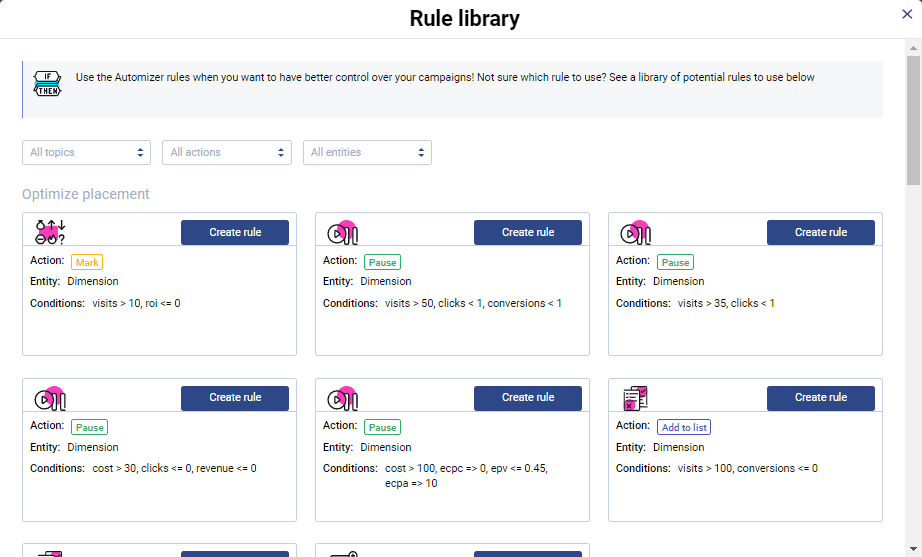
Seriously, stop reading right now and create a simple alert rule! Discover how fun it is when things work for you automatically.
I’ll wait.
How Does Voluum Direct Tracking Work and When Should You Use It?
Direct tracking is a life-saver when you cannot use a good old fashioned redirect.
I’m looking at you, Facebook and Google. And Outbrain. That’s a big part of the Internet.
Chances are that you have already tried to run a campaign in one of those places and got rejected, precisely because of a redirect.
You don’t need to use this method; you can use direct tracking. It uses a small script that, when implemented on a landing page, will call Voluum with visit info. No redirect, no messing up with Google or the small “f” company, no visitors’ time wasted.
Direct tracking is a feature that is easy to miss but missing it is sinful. Let’s start with how to launch it.
How Do You Set Up Direct Tracking in Voluum?
When you create a campaign in Voluum, you just need to set a transition method to ‘direct’.
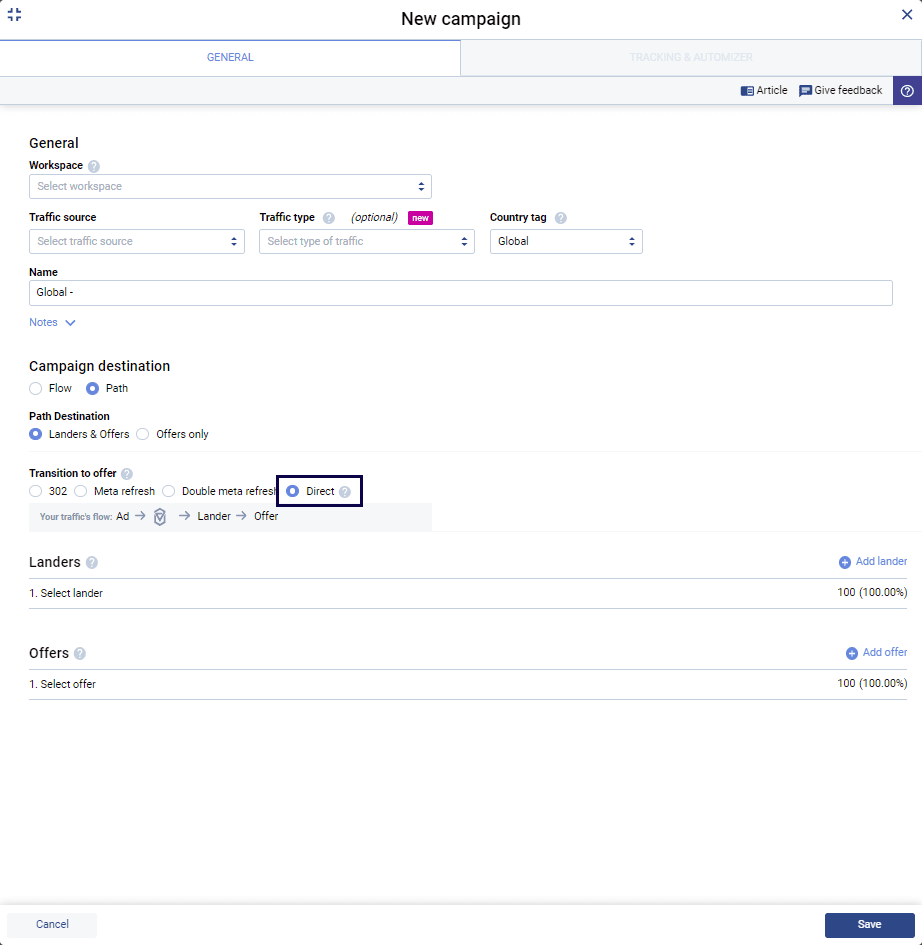
Once you save your campaign, you will be able to copy the Lander or Offer tracking pixel. To make direct tracking work, you will just need to copy it and put it in the <body> section of your landing page.
If you feel shy about editing the landing page’s code, remember: you don’t have to be a coder to implement a simple script. Don’t delete anything, just paste the script and save the HTML file. It will work just fine, trust me.
You can also use Google Tag Manager to launch the script, if you already have the tag implemented on your site.
One more thing: with Direct tracking, you can track organic traffic as well.
What Advanced Voluum Features Can You Try for Free?
The features described above are already included in your Discover plan. But there’s also a way to get a taste of some more advanced features.
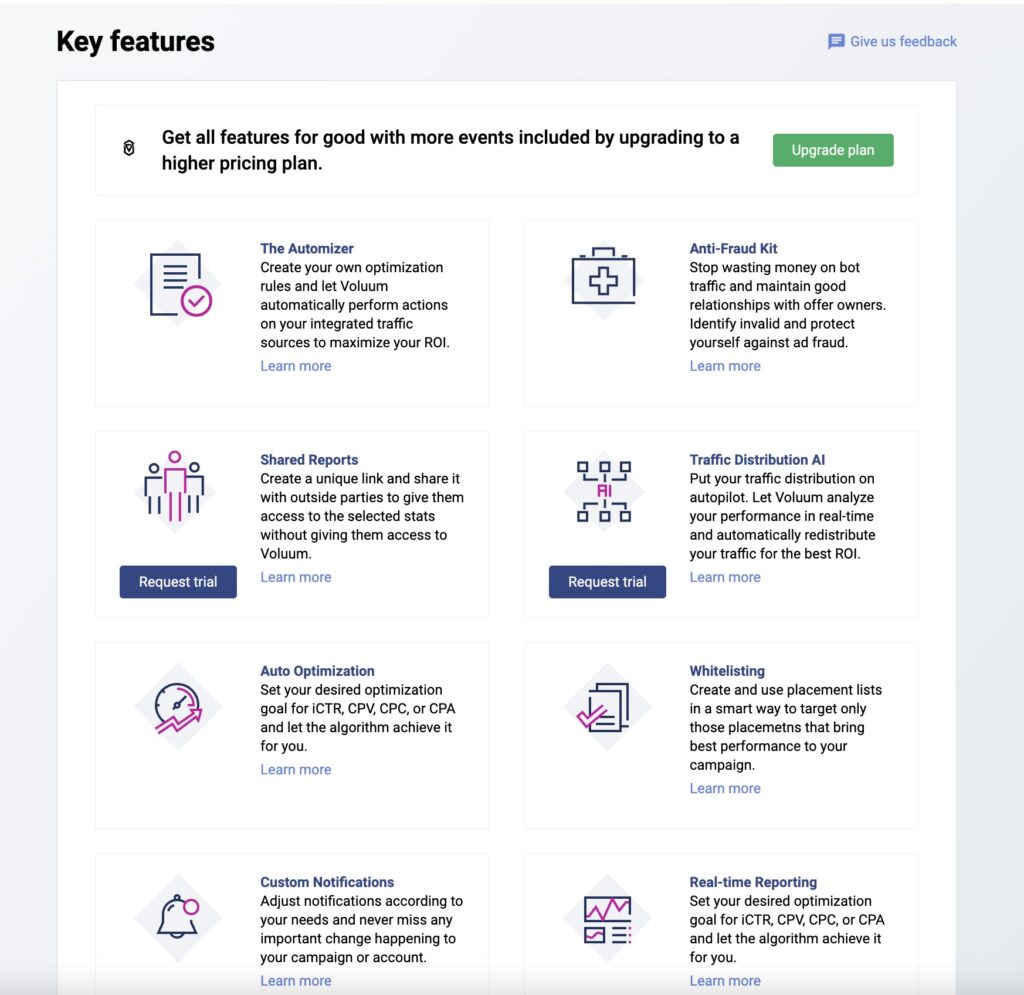
Voluum allows you to request trial access to some of its flagship features, so you can see for yourself if they are something you’ve been looking for without risking any money.
The features available for trial can be found in the Key Features panel that is accessible after clicking the profile icon in Voluum.
What Is Voluum AI and How Does It Optimize Traffic Distribution?
If you are like me, you sigh every time you hear someone talking about AI or machine learning. It’s the ultimate buzzword.
Very often there is little substance in all those smart solutions.
And yet I’m here to convince you to try another one.
The reasoning is simple: while Voluum AI cannot give you traffic information or book a flight, it can do one thing it was designed for very well: distribute traffic in the most optimal way.
It does the job well precisely because that’s its only job.
What is traffic distribution?
It is sending traffic towards various offers in a way that guarantees you the highest profits. It means that Voluum AI has to learn and adapt to the changing profitability of each offer, each lander, and lander-offer pairs.
Traffic is sent to the most profitable entities but is also used to test other options if the profitability of the offer with most traffic drops.
Voluum AI is that smart.
All this is hidden behind this one inconspicuous toggle.
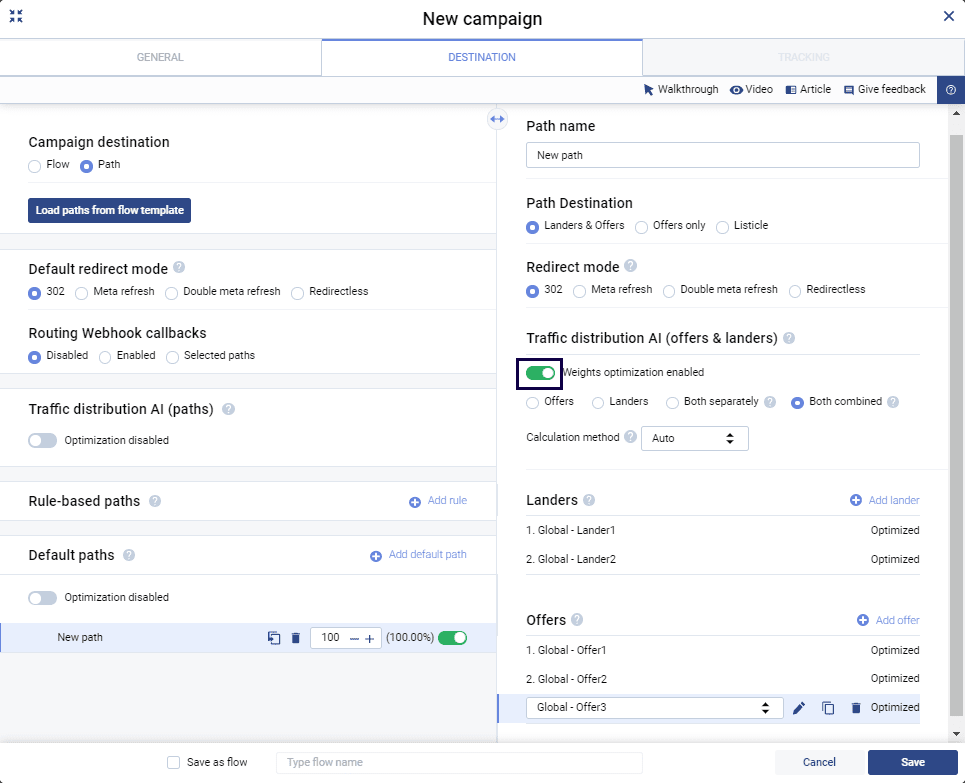
It’s only one click, why not give it a go if you have more than one offer in your campaign?
How Can You Share Dynamic Reports with Voluum?
Shared reports allow you to create links that lead to dynamic Voluum reports. A shared report viewer does not have to login anywhere, they don’t even need a Voluum account. They will see the parts of data in Voluum that you select for sharing.
This will be a dynamic data set, meaning that if you create a shared report for “last 7 days” time frame, each day data will change so this time frame will be met.
White label solution is also available, so anyone viewing this report may not even know that this report was generated by Voluum.
Why Should You Explore All of Voluum’s Free Features?
Dear Voluum user, I hope you have found at least one thing that will be helpful for you. Everything listed here won’t cost you a dime, these features are either already included in your pricing plan or are available for a free two-week trial.
Shame if our developers’ hard work would go for nothing.
There is also a chance that you have thought of a new feature that you think will change your affiliate life. If so, then don’t hesitate to write to us at [email protected].
Dear potential Voluum user, if anything you have found here tickles your fancy, then linger not, sign up for the best affiliate ad tracker and enjoy these and many more features.
Frequently Asked Questions
Question: What is Automizer in Voluum and why should I use it?
Automizer lets you integrate with traffic sources and set up automatic campaign rules (like pausing low-ROI campaigns or notifying you when caps are reached), helping you manage campaigns efficiently while saving time.
Question: How does Voluum Direct Tracking work?
Direct Tracking uses a simple script placed on your landing page to track visits without redirects—ideal for campaigns on platforms that restrict redirects, such as Facebook and Google.
Question: Can I try advanced Voluum features for free?
Yes. Voluum allows you to trial advanced features like Voluum AI for intelligent traffic distribution and Shared Reports for easy performance sharing, so you can test their impact before committing.
Question: What does Voluum AI do?
Voluum AI automatically distributes your traffic across offers and landing pages for optimal results, learning and adapting to maximize your profits as campaign performance changes.
Question: How can I share my campaign data in Voluum?
Use the Shared Reports feature to create dynamic, read-only report links that can be shared with anyone, even if they don’t have a Voluum account—ideal for clients, partners, or stakeholders.



 Facebook
 Telegram