

In iGaming, the gap between a campaign that prints money and one that quietly drains it usually comes down to whether you can tell them apart. A registration is not a deposit. A click is not a player. Without a tracker wired into every step of the funnel, your “conversions” spreadsheet is really a spreadsheet of guesses.
This guide walks through how to build a reliable iGaming tracking setup in Voluum from scratch, addresses the pain points that trip up most affiliates and in-house teams, and covers how to keep it compliant with current privacy rules.
What a Dedicated Tracker Actually Delivers for iGaming Advertisers
The iGaming vertical has a structural problem most other niches don’t. The conversion event (a first-time deposit, or FTD) happens inside the operator’s platform, which you don’t control. Affiliate dashboards update in batches, sometimes on a week’s delay. Traffic sources optimize on events they can see. Revenue data sits with the operator. Fraud signals sit nowhere unless you go looking.
A dedicated ad tracker consolidates this mess:
Real player data, not vanity metrics. A good setup various conversion types, like registrations from FTDs. You stop optimizing on signups that never deposit and start scaling the creatives, placements, and GEOs that bring paying players. This is also the only way to calculate true cost per FTD, the metric your CPA deals are measured against.
True ROI calculation. Clicks, costs, FTDs, and player lifetime value sit in one report. You can see which traffic source makes money at the campaign, creative, and placement level.
Faster optimization. Operator reports arrive late. S2S postbacks fire the moment a conversion happens, so you can pause underperforming placements the same day instead of losing a week of budget.
Fraud control. Bot clicks, proxy traffic, datacenter IPs, and bonus abusers distort ROI and risk your advertiser relationships. A tracker flags these patterns before they drain budget.
Compliance and reliability. Server-to-server tracking doesn’t rely on cookies, which matters in a post-cookie, consent-gated world where browser-based pixels increasingly fail silently.
How Tracking Works in iGaming
The core mechanic is straightforward. When a visitor clicks an ad, the traffic source redirects them through a Voluum campaign URL. Voluum assigns that visit a unique click ID, records device and GEO data, and forwards the visitor to the operator with the click ID appended to the offer URL.
The operator stores the click ID against the player’s account. Later, when the player registers, deposits, or redeposits, the operator’s server fires an HTTP request (the postback) back to Voluum’s server. That request carries the click ID and conversion details. Voluum matches the click ID to the original visit and attributes the conversion to the correct campaign, creative, lander, and GEO.
Two methods exist for reporting conversions: the S2S postback (server-to-server) and the conversion tracking pixel (cookie-based, placed on a confirmation page). For iGaming, the postback is the standard because the conversion happens on a page you don’t own. Pixels only make sense when you control the destination, which in practice means a pre-lander or self-hosted comparison page.
Setting Up iGaming Tracking in Voluum: Step by Step
The following setup reflects the flow described in Voluum’s official iGaming general guide and handles the most common configurations.
Step 1: Add the iGaming Operator as an Affiliate Network
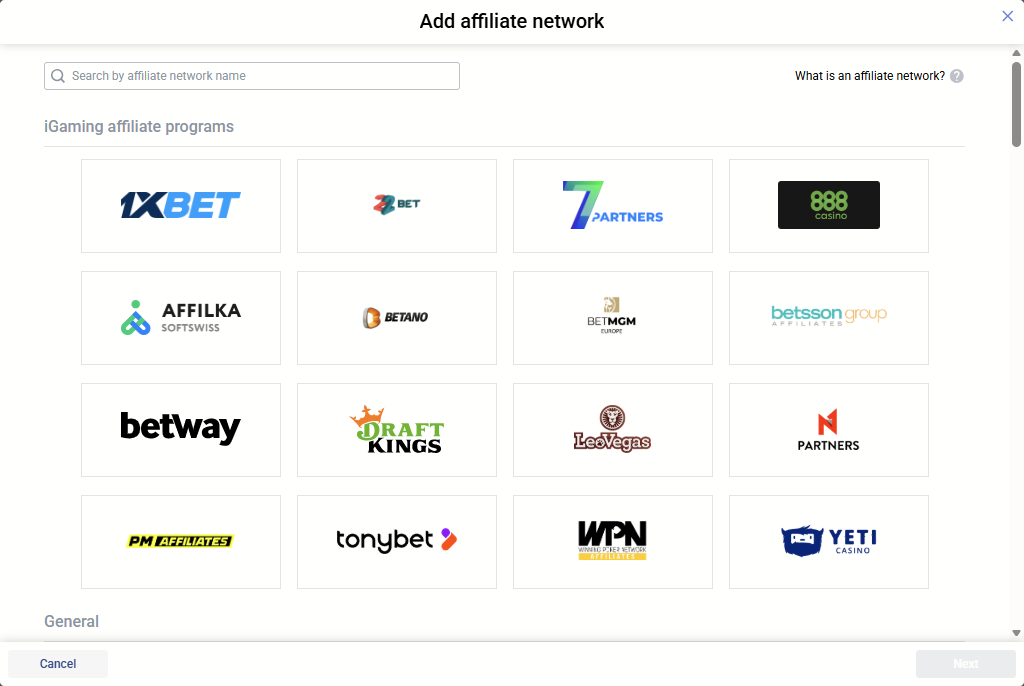
Go to the Affiliate Networks tab and click Create. Voluum ships with pre-built templates for operators like 1xBet, 22Bet, DraftKings, BetMGM, PariMatch, TonyBet, and others. If your operator has a template, select it. The postback URL will be preconfigured, and the tracking tokens will already match the operator’s expected parameter names.
If the operator isn’t on the list, pick Custom and dig into the operator’s documentation for supported tracking parameters (sometimes called UTMs, subIDs, macros, or placeholders). Different operators use different names. If the documentation doesn’t list them, contact your account manager. A common snag here is using the wrong token names, which produces offer links that pass data the operator can’t read.
Copy the postback URL to a text editing app. You’ll modify it in a later step.
Step 2: Configure Custom Conversions for Registration, FTD, and Deposit
This is the step most new users skip, and it’s the single most important one in an iGaming setup. Without custom conversions, registrations and FTDs will look identical in your reports, which makes every downstream decision worse.
Go to Settings > Custom Conversions. Click Add and create entries for each event type you want to distinguish. A standard iGaming setup looks like this:
- Registration: event type parameter value
register - First-Time Deposit: event type parameter value
ftd - Deposit (repeat): event type parameter value
deposit
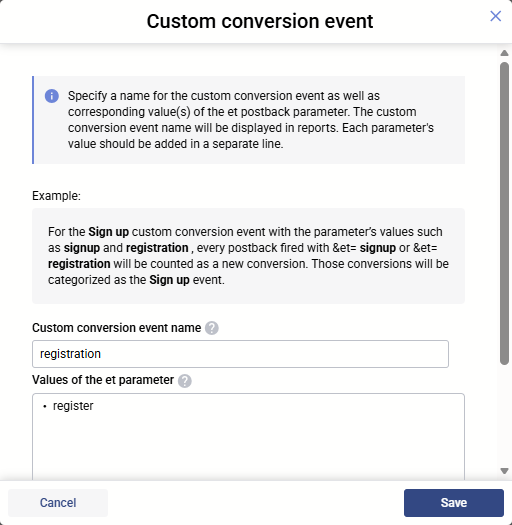
Each event type maps to a value you’ll pass back in the et parameter of the postback URL. Save the configuration.
Some operators (DraftKings is one documented example) don’t support an event type parameter at all. In those cases, you can still set up custom conversions, but you’ll need a separate postback URL per event type, and the operator fires the appropriate one depending on what happened.
Your custom postbacks per event ype might look like:
- Registration: https://your_tracking_domain.com/postback?cid={clickid}&et=register
- FTD: https://your_tracking_domain.com/postback?cid={clickid}&et=ftd
- Deposit: https://your_tracking_domain.com/postback?cid={clickid}&et=deposit
Step 3: Add the Offer
Go to Offers and click Create. Select the affiliate network template you just saved. Paste the offer URL from the operator. Append the click ID token so Voluum can identify each visit.
The pattern looks like this: https://your_casino_offer.com/?click_id={clickid}
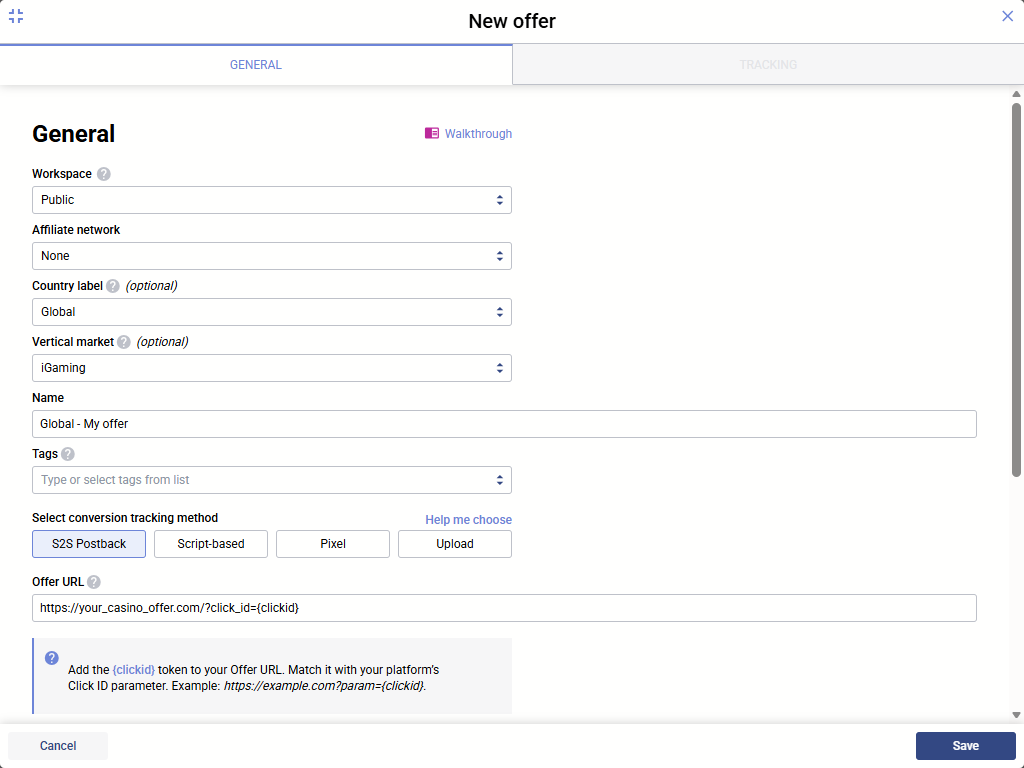
Replace click_id with whatever parameter name the operator uses. For example, if the operator accepts click IDs in the s2 parameter, your URL becomes https://your_casino_offer.com/?s2={clickid}. Voluum will replace {clickid} with a unique value at runtime.
One common error: enabling the “Append click ID to offer URLs” option in the affiliate network settings while also manually adding the token to the URL. This doubles the click ID and breaks tracking. Pick one approach.
Replace the tokens in curly braces with whatever the operator uses, since their macros rarely match Voluum’s naming. The txid parameter matters because it gives each transaction a unique ID, which lets Voluum distinguish a second deposit from a third for the same player. That’s how you measure real lifetime value rather than just acquisition cost.
Submit these postback URLs to the operator. Some operators let you paste postbacks directly in the platform. Others require you to email them to your account manager.
Step 4: Add the Traffic Source
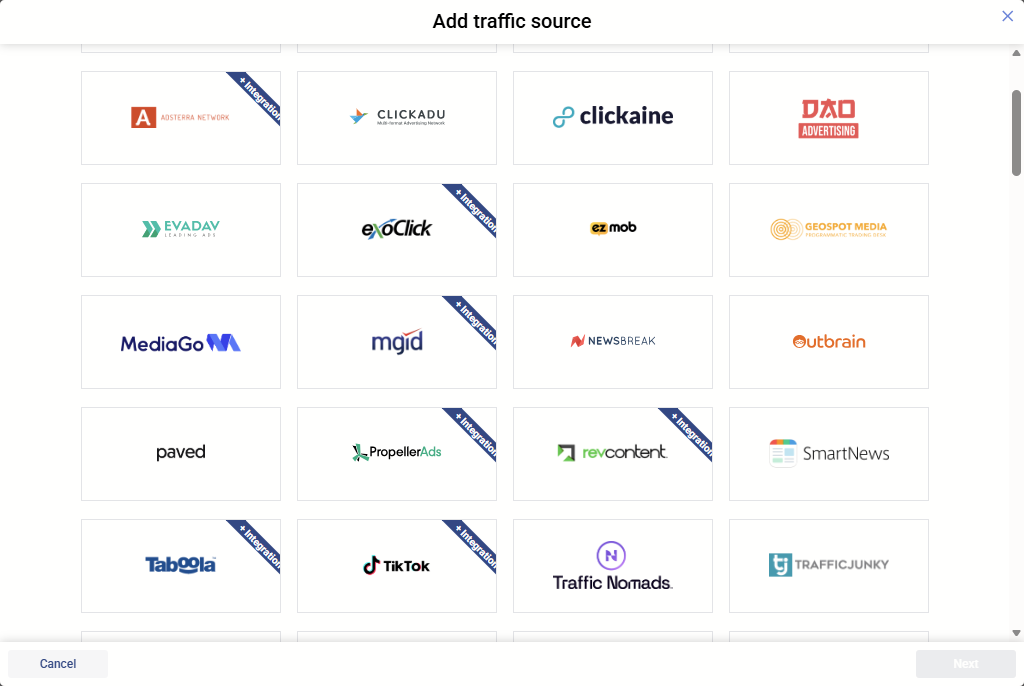
Go to Traffic Sources and pick a template (PropellerAds, Google Ads, TikTok, Meta, RichAds, and dozens more are supported) or add a custom one. Templates map the traffic source’s built-in tokens (creative ID, zone ID, placement, GEO) to Voluum’s custom variables automatically. If you build a custom traffic source, map these yourself in the Advanced Parameters section, using the parameter names the traffic source documents.
Step 5: Create the Campaign
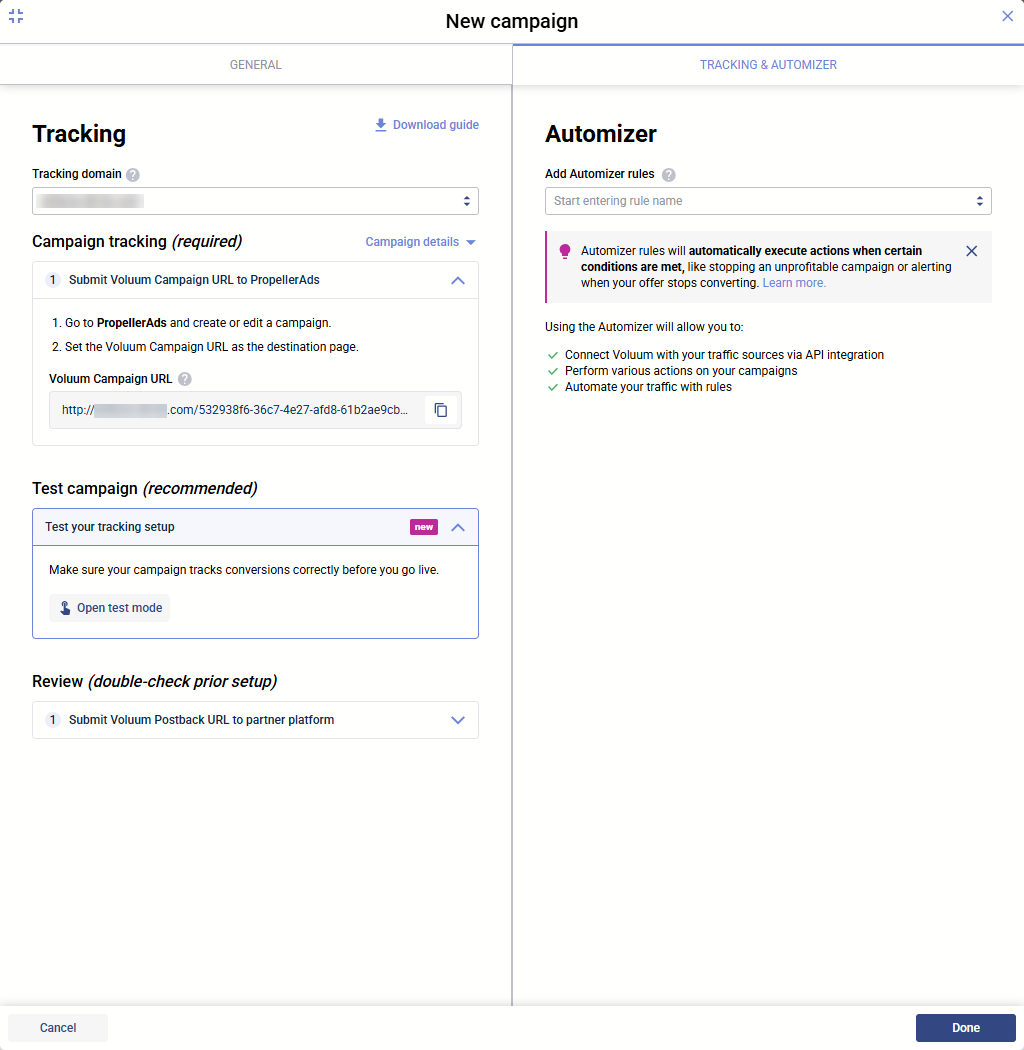
Go to Campaigns and click Create. Select your traffic source, pick a flow (or use the default), attach the offer, and save. Voluum generates a campaign URL. That URL is what you paste into the traffic source as your destination link.
Step 6: Test Before Spending
This step saves the most money over time. Use the built-in test mode and generate events and conversions to make sure that you won’t lose money because of a type on a URL.
Addressing the Pain Points
A few recurring problems in iGaming tracking deserve their own treatment.
Running multiple offers from a single traffic source. A lot of teams create separate campaigns per operator, which produces data that can’t be compared cleanly. A better approach is one campaign with multiple offer paths, using Voluum’s traffic distribution feature to split traffic at configurable percentages (say, 40/40/20 across three operators). Because the custom conversion event types are identical across offers, the aggregated report is directly comparable.
Long conversion delays. A player might register on Monday and deposit on Thursday. Voluum records conversions against the original visit for up to 180 days, so late FTDs still attribute correctly as long as the click ID is preserved.
Fraud and bonus abuse. Voluum’s Anti-Fraud Kit includes proxy detection, bot metrics, IP and user agent filtering, and honeypot traps. For iGaming specifically, the reg-to-FTD ratio (R2D) is the signal that matters most. A high registration count with a low FTD count almost always indicates bonus hunters, incentivized traffic, or a funnel that’s broken somewhere between signup and deposit. Industry benchmarks suggest 20-30% R2D is healthy in Tier 1 GEOs. Anything below 5% after 100 registrations is worth pausing.
Telegram, Mini Apps, and other non-standard sources. For traffic routing through an app environment before reaching the operator, use the Voluum campaign URL as the redirect destination so the click ID is issued before the user hits the registration page. Standard S2S postback handles FTD attribution from there.
Compliant Tracking
iGaming sits at the intersection of two regulatory pressures: gambling-specific advertising rules (UKGC, Malta, state-level US rules, emerging LATAM frameworks) and general data privacy law (GDPR, CCPA, and equivalents). Your tracking setup has to handle both.
Voluum is built by an EU-registered company and runs under GDPR, which means the infrastructure itself carries strong baseline protections. Two features do the heavy lifting on the privacy side:
IP Anonymization. Available in Settings > General Settings, this feature stores IP addresses in a shortened, irreversible format. GEO-level analysis still works, but the data is no longer tied to an individual device once written to the database. Note that this applies going forward only; it does not rewrite historical data.
The Opt-Out cookie. End users can set a browser cookie signaling they don’t wish to be tracked. When present, Voluum honors it.
Beyond what Voluum provides, compliance is a shared responsibility. A few practical points:
- If you operate in a GDPR jurisdiction, you need a lawful basis for processing visitor data. For most affiliate tracking, that’s either consent (through a cookie banner) or legitimate interest, depending on how your setup is structured.
- Server-to-server postbacks are more privacy-resilient than pixel tracking because they don’t require browser cookies or device identifiers. With Safari blocking third-party cookies by default and EU audiences declining consent banners at high rates, S2S is increasingly the only method that works at scale.
- Do not pass personally identifiable information (name, email, phone number) through Voluum. The platform isn’t designed to process it, and doing so creates legal exposure.
- Keep your privacy policy current. Link to Voluum’s End User Privacy Policy where appropriate and describe what data you collect, why, and how users can opt out.
- For gambling-specific compliance, follow the advertising rules of each GEO you target. Responsible gambling disclaimers, age verification messaging, and jurisdiction-specific promotional restrictions touch the same landing pages and creative flows.
Summary
A reliable iGaming tracking setup in Voluum rests on four pillars. First, configure the operator as an affiliate network, using a template where available and a custom build otherwise. Second, set up custom conversions for at least registration and FTD, with an optional third for repeat deposits. Third, build postback URLs that pass the correct click ID, event type, transaction ID, and payout parameters matched to the operator’s token naming. Fourth, test the full flow with a manual postback before spending any paid budget.
On the campaign side, keep related operators under a single campaign with split traffic paths rather than fragmenting them into separate campaigns that produce non-comparable data. Watch the reg-to-FTD ratio as your primary quality signal, and use Voluum’s Anti-Fraud Kit to catch proxies, bots, and bonus abuse. On the compliance side, enable IP Anonymization, respect the Opt-Out cookie, and keep personally identifiable information out of the tracking layer. Follow the advertising rules of each GEO alongside general privacy law.
Done correctly, the setup gives you attribution you can trust and a data foundation that scales as you add traffic sources, operators, and GEOs. The tracker doesn’t make your optimization decisions for you. It just stops hiding them.



 Facebook
 Telegram