
What's new in Voluum? - page 2
Please enter at least 3 characters to start search
Search results
We're sorry 😔
We couldn’t find results for ""
March 2025 update: NewsBreak integration
The most requested integration is here: Voluum is now API integrated with NewsBreak, a content discovery platform with over 40M engaged local users.
The integration allows you to:
- Synchronize cost on campaign, ad set, and ad levels
- Create auto-rules
- Control your campaigns from within Voluum
February 2025 update: The interactive Get Started Checklist
This is the culmination of all onboarding improvements we have made in the past few months. Once a person logs into Voluum for the first time, they will be greeted with an interactive checklist on the right side of the screen with recommended steps for setting up an account and creating the first campaign.
The whole flow guides a user to tracking their first conversion. Once this milestone is achieved, the checklist will automatically close.
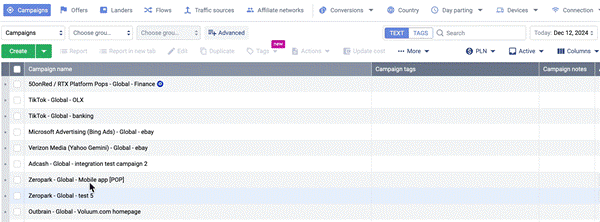
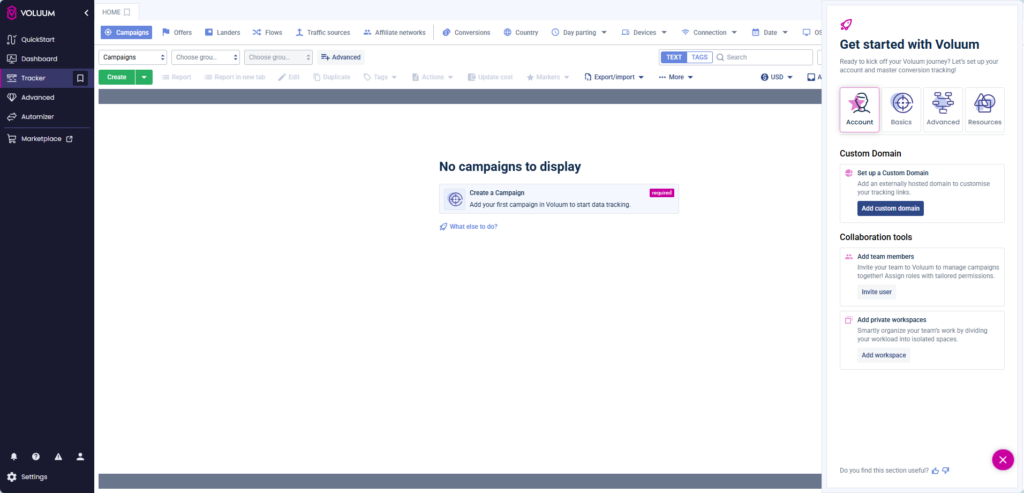
The Checklist is accessible for all new accounts created after February 19th, 2025.
January 2025 update: Updated column settings form, Global reports bookmark
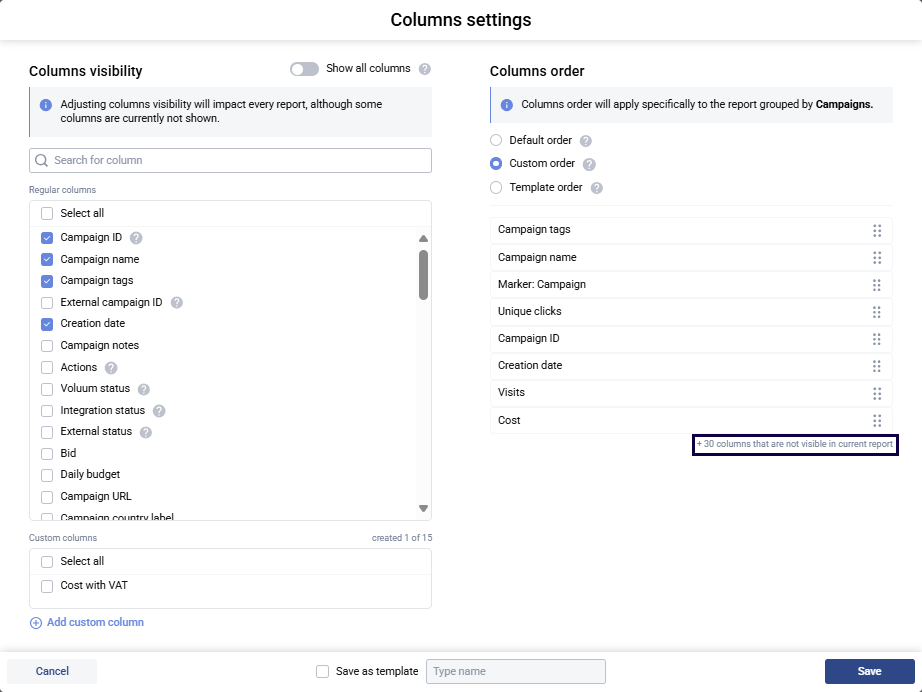
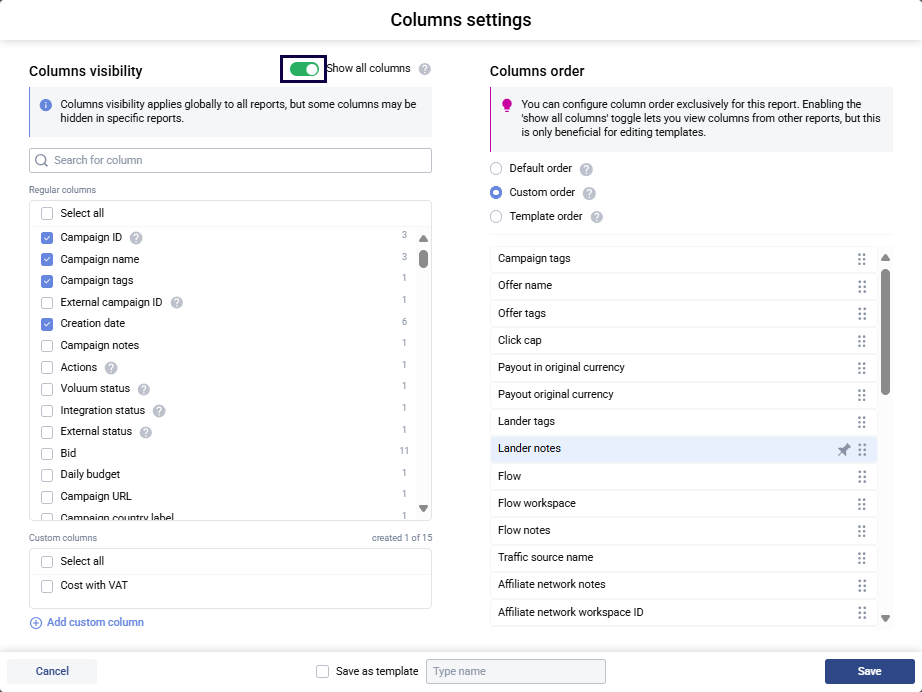
This update gives you the option to show columns from all reports, even if they are not visible in the current report. This enables you to create a template that is reusable between reports without the need of opening them one-by-one.
Additionally, you can now make bookmarks of your favorite global reports: Campaigns, offers, Traffic sources, Landers, Flows. Just go to the desired grouping and click the bookmark button on the HOME tab and name your bookmark.
The Column settings window show you how many columns are currently not visible in your report.
You can click the Show all columns toggle to brings them to view.
Go to your favorite global report and click the Bookmark button next to the HOME tab.
December update: Bulk edit tags
Following the October 2024 update that added the option to view and edit tags in columns, this update adds the option to edit tags in bulk. Thanks to this, you can add or edit tag of multiple elements at once.
Here’s how it works:
- Select elements you want to edit
- Click on ‘Tags’ button.
- Select or deselect existing tags or type in a new tag.
November update: Enhanced Google conversions and Clickadu integration
This update allows advertisers to send additional data with each conversion to Google: email, phone, order ID, consent. This should solve problems with Conversion not attributed correctly, duplicated conversion, visitor’s consent not specified.
Clickadu integration unlocks cost synchronization on campaign and zone level and launching set actions with auto-rules.
You can add additional parameters when generating a postback URL in Voluum:

To learn more about the integration, please read the documentation: Clickadu Full Integration – Voluum Documentation
October update: AI navigation and Tags in columns
AI navigation is a great way to navigate around Voluum’s features and settings quickly, with just typing where you want to go. It is part of our efforts to make Voluum as intuitive to use as possible.
Tags in columns, on the other hand, reinvent one of the most commonly used features that helps organize your work in Voluum. From now on, you can view and edit tags in a dedicated column in a report, without the need of opening a given element. This allows you to streamline your work more efficiently.
AI navigation can be access via the search bar on the right-hand side menu.
Use it to:
- Find tool you need
- Explore features
- Navigate Voluum quicker
To enjoy the new feature, you just have to enable ‘Tags’ column in Column Settings:

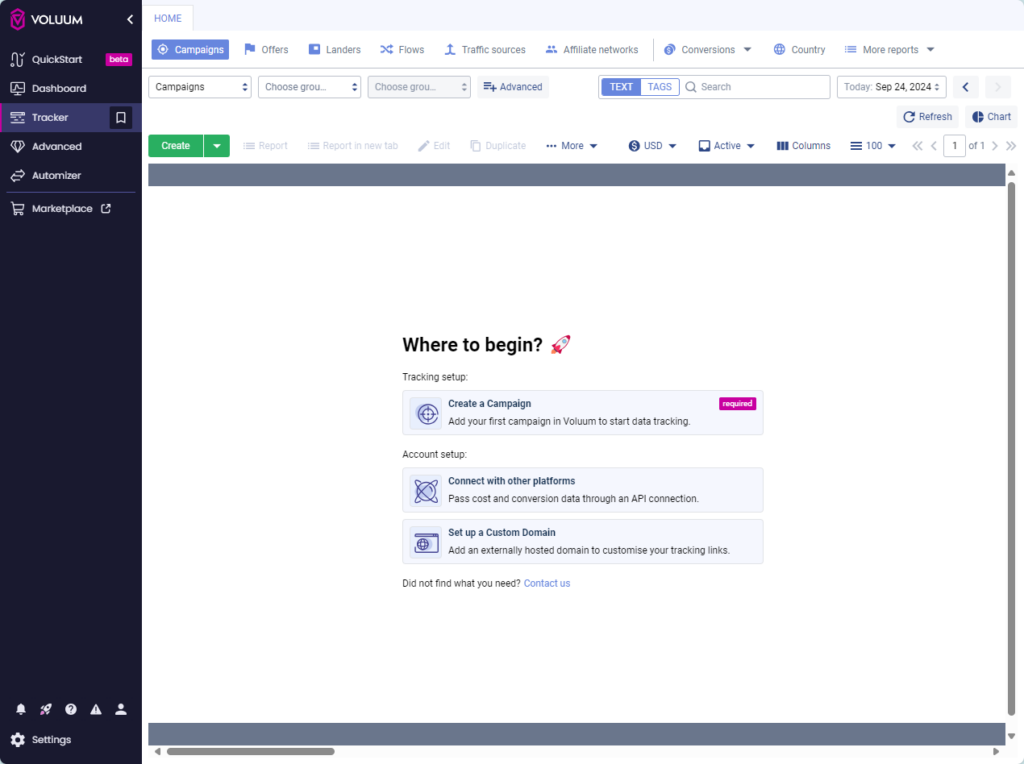
September update: New starting point view for new users
First contact with Voluum can be intimidating for new users, especially if they don’t know much about digital advertising. But that shouldn’t stop them from enjoying top-notch tracking features! We’ve redesigned the first view that all new users see to clearly indicate what steps need to be taken to start tracking.
The new view is available on all new accounts starting from September 30th.
August update: Introducing Voluum Marketplace
This month we are most excited about the launch of Voluum Marketplace, your go-to hub for verified digital marketing partners. Voluum Marketplace offers you:
- Verified Partners: Access a curated selection of trusted ad networks and affiliate networks.
- Easy Access: Quickly connect with the best platforms, bypassing lengthy vetting processes.
- Detailed Overview: Compare different platforms easily to find the perfect fit for your needs.
Explore Voluum Marketplace today and leverage the partnerships we’ve built to enhance your marketing pipeline!
July update: Download CSV in Error Log
We’ve made troubleshooting easier! The Error Log now allows you to download all recorded errors in a CSV file with just one click. This update enables you to:
- Export detailed error data for offline analysis.
- Share error logs with your team or support for collaborative troubleshooting.
- Identify recurring issues and trends to prevent future problems.
Head over to the Error Log to check your campaign setup and download any errors for further investigation!
June update: Clickadilla integration and QuickStart
Clickadilla is Voluum’s 28th API integrated partner. Like all the other platforms, it enables:
- cost synchronization
- controlling Clickadilla campaigns without ever leaving Voluum
- creating auto-rules
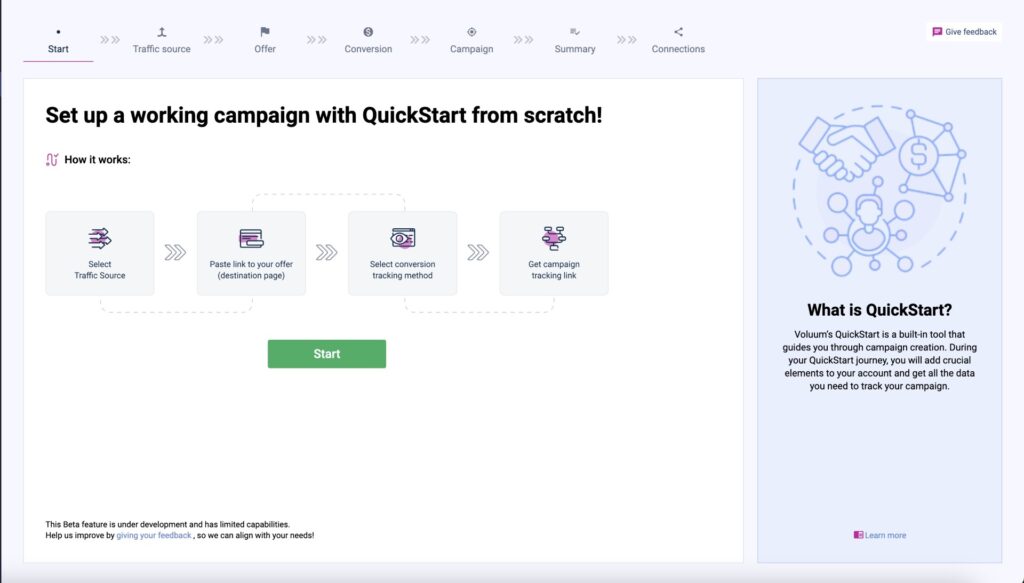
The second big update of this month is QuickStart. QuickStart is an onboarding tool that instead of forcing you to read or watch videos, guides you through a process of creating a campaign. This way you:
- Learn about the basics of Voluum
- Instantly have a working campaign
This feature is a work in progress and is only available on accounts created from April 2024.
To integrate with Clickadilla, just grab a Clickadilla API key that you can generate in the Tracking tab. Then go to Voluum Automizer and follow the on-screen instructions. The detailed process is described in our documentation.
The QucikStart feature is available on all accounts created after April 2024:
Get Voluum – the constantly updated ad tracker!
 Facebook
 Telegram