
Connect your AI agent to Voluum using MCP.
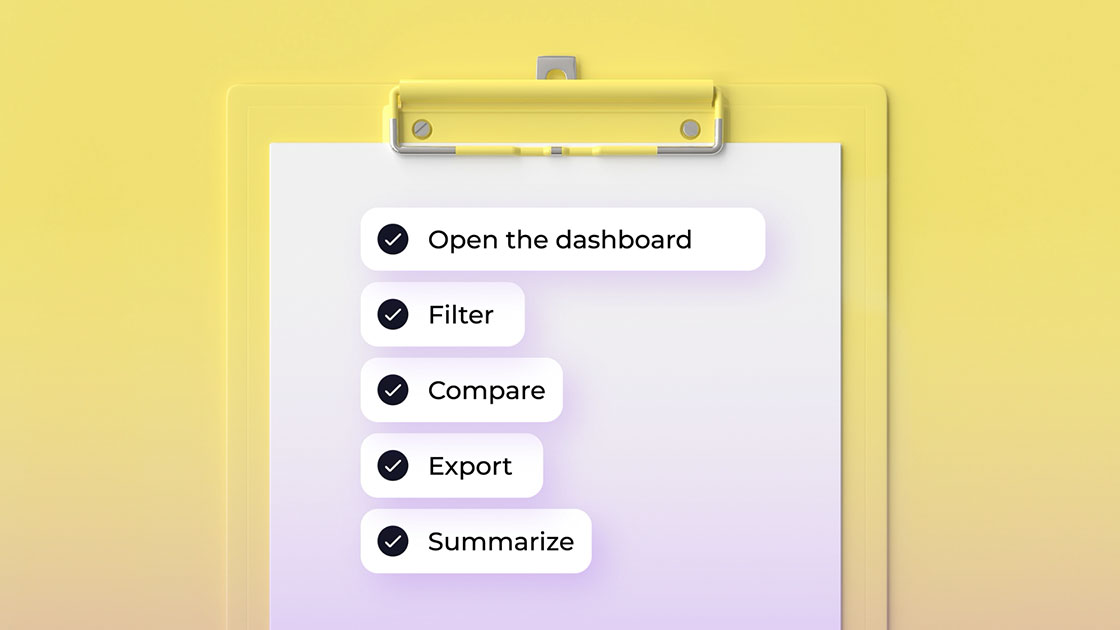
Replace hours of manual filtering, analyzing, and reporting with a single prompt.








Thinking ...
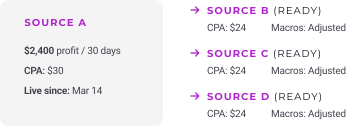
Campaigns launched in 45 seconds:

3 test campaigns ready to launch. Confirm?
What is MCP?
MCP is the open standard that allows various platforms to talk to AI models. Think of it as USB for AI models: plug it to any any AI tool that speaks MCP and just tell it what to do:
- Analyze data to find optimization opportunities
- Get reports written to Slack
- Launch campaigns across multiple platforms in one prompt

Use AI agents you know
What it works with today
Today, MCP works with:
 ChatGPT
 Claude
 Gemini
 Cursor
 Perplexity

Built-in AI bots are a dead end
MCP vs built-in AI bots
Most trackers built one AI you're stuck with. Voluum plugs into every AI worth using, including the ones that haven't shipped yet.
- No lock-in
- No waiting for integration
- No anonymous bots scanning your data freely
Once the rest will catch up to MCP eventually, your campaigns will already be running on it for months.
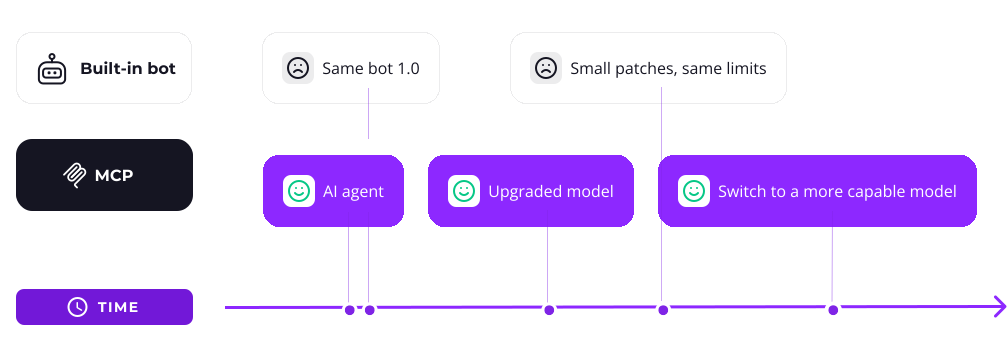
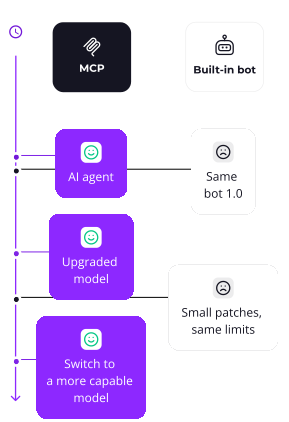

You have no control over what the built-in bot does.
You have full control with MCP: Read-only by default. Write scopes opt-in. Revoke any time.
Upgraded workflows for all
Built for the way you actually work
MCP collapses the work you used to do across five tabs into one prompt

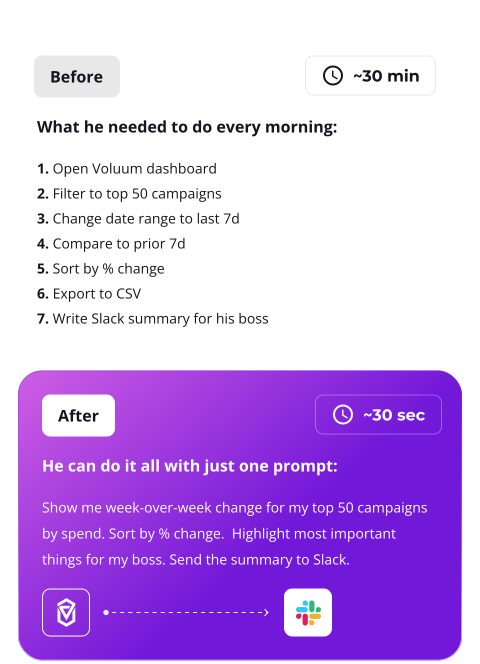
The morning routine, gone. The accountability, his.
Richard answers to his director for results. He used to spend the first 30 minutes of every day just to get the numbers. Now he asks one question and gets the answer in Slack in seconds.
-
 Replaces a 30-minute morning routine with a 3-minute prompt
-
 Finds the underspending winners his manual review used to miss
-
 Cuts losing sources before lunch, not at end-of-week review
-
 Catches broken postbacks the same day they break, not the same week

The one-person operation, scaled.
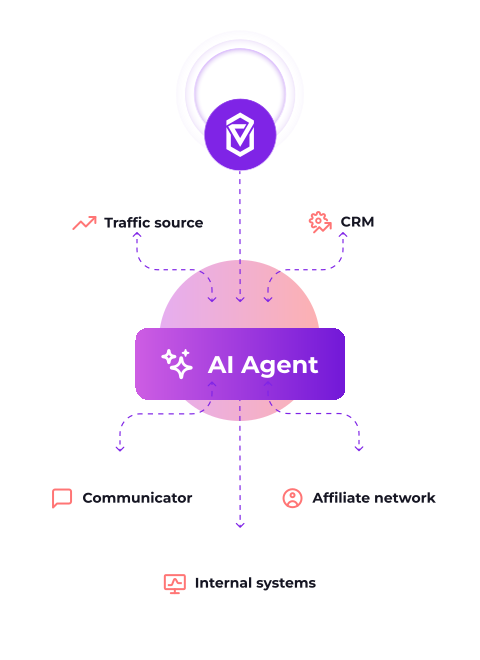
Stan runs campaigns across four platforms. His AI agent orchestrates all of them from one chat window, with Voluum as the source of truth.
-
 Launches the same offer across three traffic sources in one prompt
-
 Compares offers from multiple networks side by side
-
 Gets Telegram alerts when balances drop or caps trigger
-
 Reallocates budget across sources without logging into any of them

The agency that doesn't need a junior buyer.
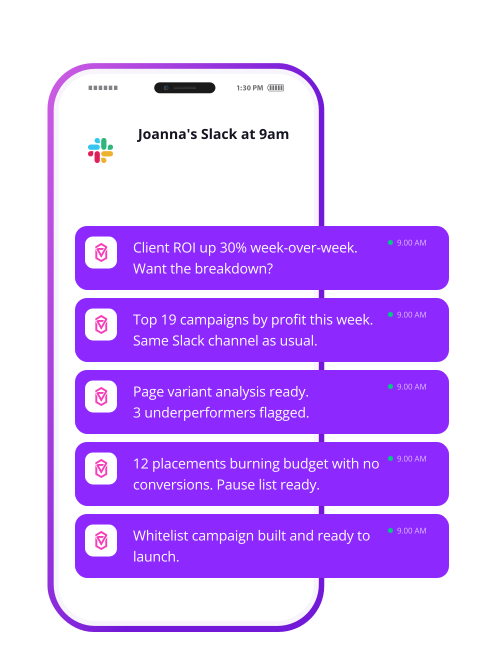
Joanna manages forty active campaigns across six clients. Her AI agent posts updates to Slack throughout the day. She reads, she approves, she moves on.
-
 Generates client reports in minutes, not hours
-
 Catches placement leaks across every campaign, every morning
-
 Scales winners across sources without copying campaigns by hand
-
 Sends each client a weekly performance summary on autopilot
The Setup
How it works:
Five minutes from connect to first useful prompt

Pick an AI Agent
Bring whatever AI tool you've already paid for or developed.
Connect Voluum
Authenticate Voluum inside your AI agent.

Set permissions
Select between read and write permissions.
Edit or revoke access at any time.
Three prompts you'll use this week
Sample prompts
Just use any of these or adapt to your account.




You stay in control
Voluum MCP and privacy
Voluum stays the system of record. Your AI agent works on your terms.
-
![]()
Read-only by default
Pausing campaigns, editing budgets, and creating new entries each require their own write scope, granted one at a time.
-
![]()
Revoke any time, in one click
Cut access from Voluum settings and the agent loses it on its next call. No support ticket, no waiting period.
-
![]()
Your data stays where it lives
Voluum doesn't send your data anywhere by default. The MCP server only hands data to your authorized agent. How the agent operates is dictated by the AI vendor's T&C.


Frequently Asked Questions
Voluum MCP is available from the Enterprise plan, with a free one-month test option on all plans.
 Facebook
 Telegram